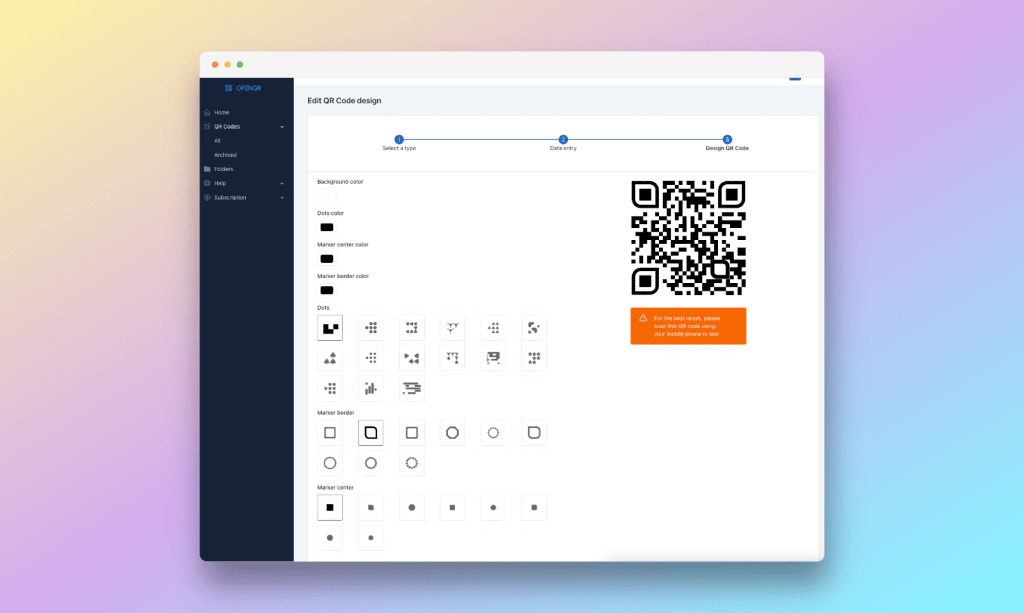
Are you tired of cumbersome QR code generators that lack flexibility and functionality? Say hello to OpenQR – the solution you’ve been waiting for. In today’s digital age, QR codes have become indispensable tools for bridging the gap between offline and online experiences. But not all QR code platforms are created equal. Enter OpenQR.io, a platform that redefines the way you interact with QR codes.
In this review, I will take an in-depth look at OpenQR.io and explore how it stands out from the crowd. From its intuitive interface to its robust features, I’ll uncover why OpenQR.io is poised to revolutionize the QR code landscape. Join us as we delve into the world of OpenQR.io and discover how it can elevate your QR code experience to new heights.
OpenQR features
Tailored Customization Design: Stand out from the crowd with OpenQR.io’s tailored customization options. From choosing colors to adding logos and customizing shapes, you have complete control over the design of your customised QR codes. Personalize them to match your brand identity effortlessly and leave a lasting impression on your audience.
Custom Domain Support: Elevate your brand presence with custom domain support. With OpenQR.io, you can use your own domain to host your QR codes, ensuring a seamless and professional user experience for your audience. Maintain brand consistency and build trust with custom domain support from OpenQR.io.
Secure QR Code Management: Protect your data and maintain peace of mind with OpenQR.io’s advanced security measures. With robust encryption protocols and secure data storage, your QR code campaigns are safe from unauthorized access and malicious attacks. Trust OpenQR.io to keep your information secure at all times.
Comprehensive Analytics Insights: Gain valuable insights into the performance of your QR code campaigns with OpenQR.io’s comprehensive analytics. Track metrics such as scan data, geographic location, device type, and more to understand your audience better and optimize your marketing efforts. With detailed analytics insights from OpenQR.io, you can make informed decisions and maximize your ROI.
Pricing
In the realm of QR code management platforms, OpenQR.io stands out for its diverse pricing plans tailored to suit different needs and budgets. One notable advantage across all plans is the provision of unlimited QR code scans—an uncommon feature in the market, where many competitors impose restrictions. This ensures users have the freedom to track and analyze their QR code campaigns without limitations, a significant benefit for businesses aiming to scale their marketing efforts.
Moreover, the inclusion of essential features like API access and bulk upload capabilities in all plans reflects OpenQR.io’s commitment to offering comprehensive solutions for QR code management. This accessibility to advanced functionalities empowers users to integrate QR codes seamlessly into their workflows and leverage data-driven insights to optimize their campaigns effectively.
Additionally, OpenQR.io’s adherence to privacy regulations such as CCPA and GDPR compliance ensures that user data is handled responsibly and ethically, instilling trust and confidence among users. This commitment to data security sets OpenQR.io apart from competitors and underscores its dedication to maintaining high standards of user privacy.
Furthermore, the pricing plans offered by OpenQR.io strike a balance between affordability and scalability, making them accessible to businesses of all sizes. With competitive pricing and generous QR code allocations, OpenQR.io enables users to maximize their ROI without breaking the bank—an advantage that positions it favorably in the market landscape.
Conclution
In conclusion, OpenQR.io offers a comprehensive solution for QR code management, with user-friendly features, robust functionality, and competitive pricing. Its unlimited scan feature, combined with essential tools like API access and bulk upload capabilities, makes it a standout choice for businesses of all sizes. With its commitment to privacy and innovation, OpenQR.io is poised to revolutionize QR code management and empower users to achieve their marketing goals efficiently. Experience the difference with OpenQR.io today.